
7. Switchback Stairの生成
Switchback Stairでは、開始Step Floorから直線階段を生成し、反対側のStep Floorで180°反転します。
次のFloorへの到着時には、原則として開始側Footprintに戻る構造を使用します。
Start Step Floor
       │
       ▼
    Flight 1
       │
       ▼
Turning Step Floor
       │
       ▼
    Flight 2
       │
       ▼
Next Floor Landing
Switchback Stair Width
Switchback Stairでは往路・復路の2本分の階段幅が必要です。
Fit Width to Floor Max を使用すると、Target内の利用可能幅を基準として階段幅を自動調整できます。
ただし、計算で許容された幅でも、実際のMesh干渉やBoolean処理まで保証するものではありません。
8. Stair Step Preset
以下の図はイメージです.

Open Riser
踏板間に隙間がある階段です。

Closed Riser
踏板間に蹴上げ面を設けた階段です。
Closed Riserでは、Riser Thickness を指定できます。
9. Handrail Preset
以下の図はイメージです.

Open Railing
支柱と上部手すりで構成する方式です。
以下の図はイメージです.

Solid Railing
隙間のない連続パネル状手すりです。
手すりの設置位置は Inner / Outer / Both から選択できます。
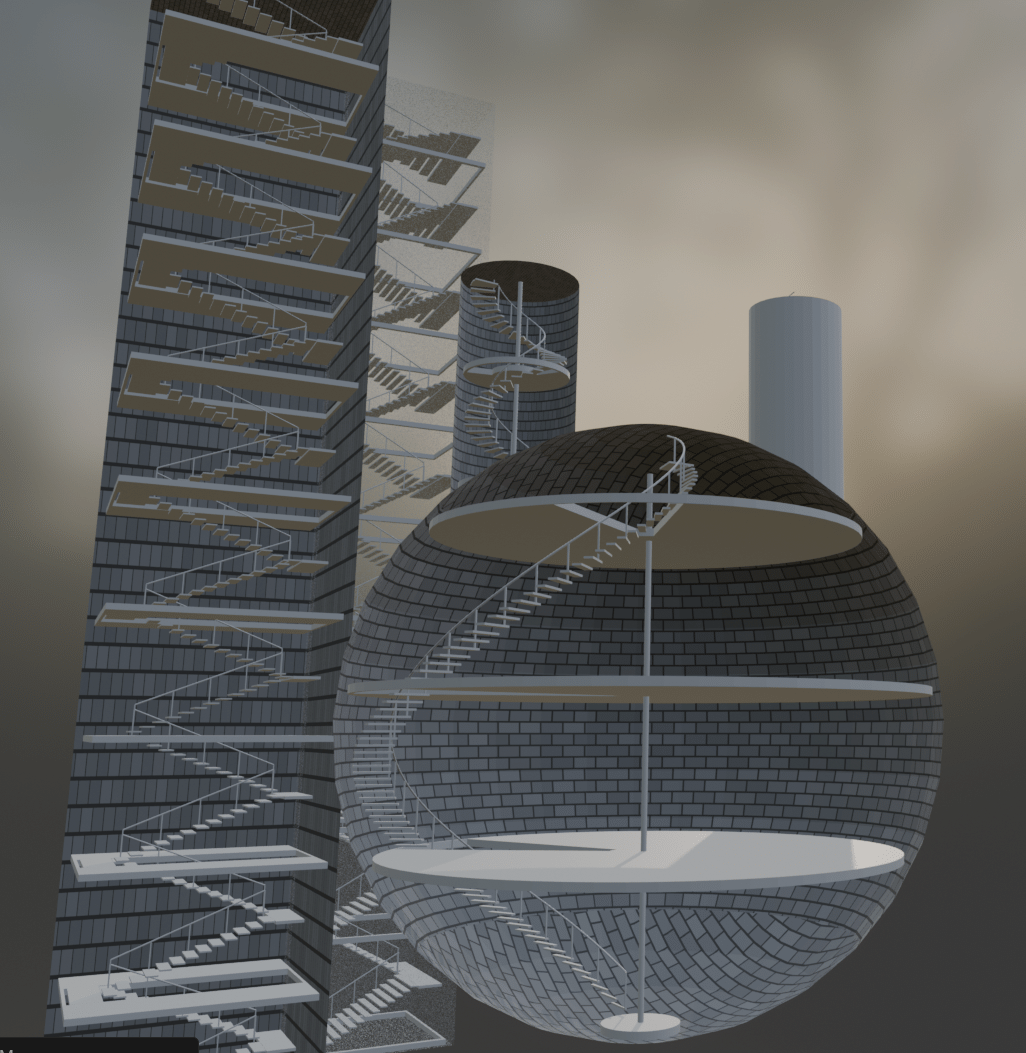
Sphereに生成した可変半径階段では、手すりも階段半径の変化に追従するよう設計されています。
10. Floor Height / Building Floor
Spiral StairとSwitchback Stairは、共通のFloor Height設定を使用します。
8. Floor Height / Building Floor

  Floor Height Mode
    Uniform
    Per Floor

  Floor-to-Floor Height
  Floor Count

  Building Floor         ON/OFF
  Floor Thickness

  Floor Opening          ON/OFF
Uniform は各階で共通の階高を使用します。
Per Floor は各階のZ高さを個別に指定する方式です。
Building Floor をOFFにしても、階段の階高計算は維持されます。
11. Spiral StairのFloor Opening
Spiral Stairでは、各Floorから下る側の階段を何段目まで開口に含めるか指定できます。
Floor Opening

  Floor Opening          ON

  Spiral Opening Size Mode
    Descending Steps
    Opening Length (Legacy)

  Descending Steps Included   8
  Floor Opening Safety Margin
例えば Descending Steps Included = 8 の場合、そのFloor直下の8段目までのFootprintを開口対象に含めます。
上り側の必要開口領域は自動計算されます。
12. Switchback StairのFloor Opening
Switchback Stairでは、往路・復路を含む全FlightのFootprintを囲むRectangle(長方形)で床を切り抜くことができます。
この方式では、2本のFlightの間に残る細長い床領域も除去します。
Spiral Stairの扇形開口とは独立した生成方式です。
13. One-Way Visibility
Target Objectの外側から内部階段を見せ、内側からは壁を不透明に表示する機能です。
Target Visibility & Materials

  One-Way Visibility     ON/OFF

  Interior Texture       Stone Block
  Exterior Texture       Stone Block

  [Apply Wall Materials]
  [Restore Original Wall Materials]
T033以降は、One-Way VisibilityのON/OFFを変更したときに即時反映する処理を含んでいます。
確認時は3D Viewを Material Preview または Rendered に設定してください。
14. Wall Texture Preset
内壁と外壁は共通Texture Libraryを使用します。
以下の図はイメージです.

Stone Block

Brick

Concrete

Plaster

Wood Planks

Metal Panel
これらに加えて、任意のCustom Materialも選択できます。
内壁と外壁で別のPresetを選択することも、同じPresetに連動させることもできます。
Textureの向き
Cylinder側面などでStone Blockが縦方向に表示される場合は、次のUIを使用します。
Texture Orientation

  Side Texture Rotation     90°
  Top Texture Rotation       0°

  [Rotate Side 90°]
[Reset Rotation]角度を変更した場合は、Apply Wall Materials でMaterialを再適用してください。
コメントを残す